Keycloak Authentication
Keycloak integration
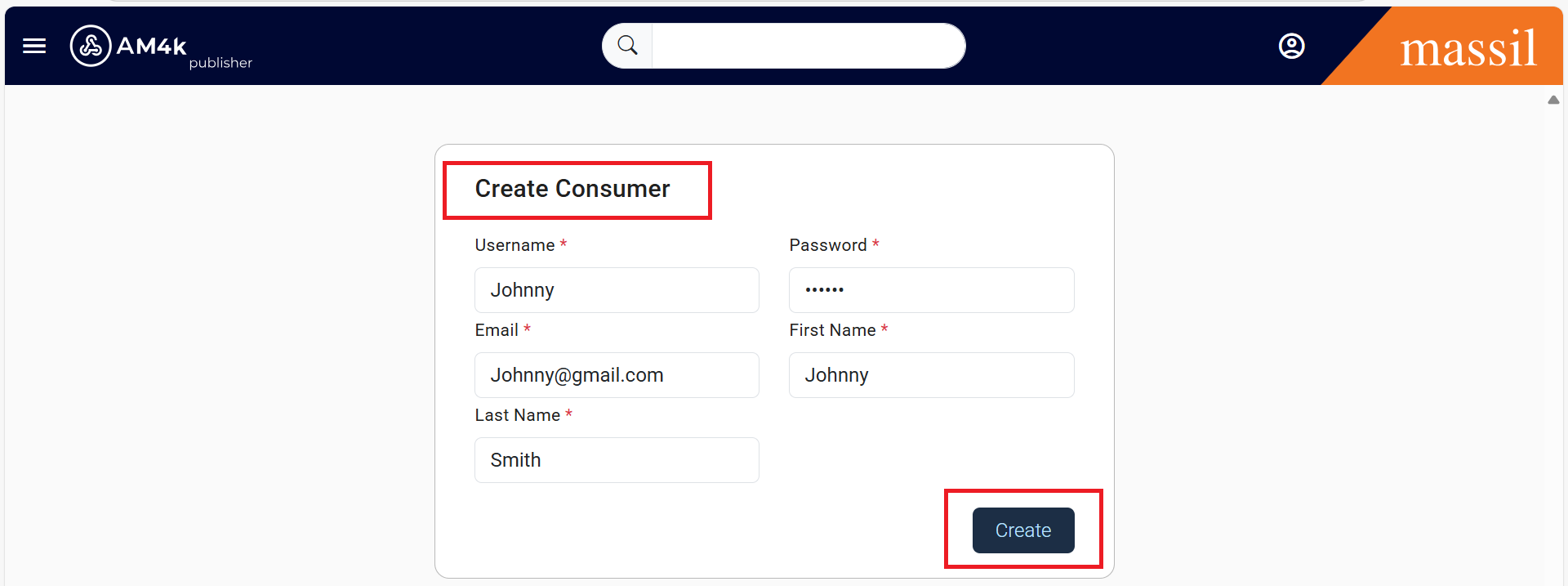
Step 1: First we have to create a consumer go to consumers click on create consumer as shown below

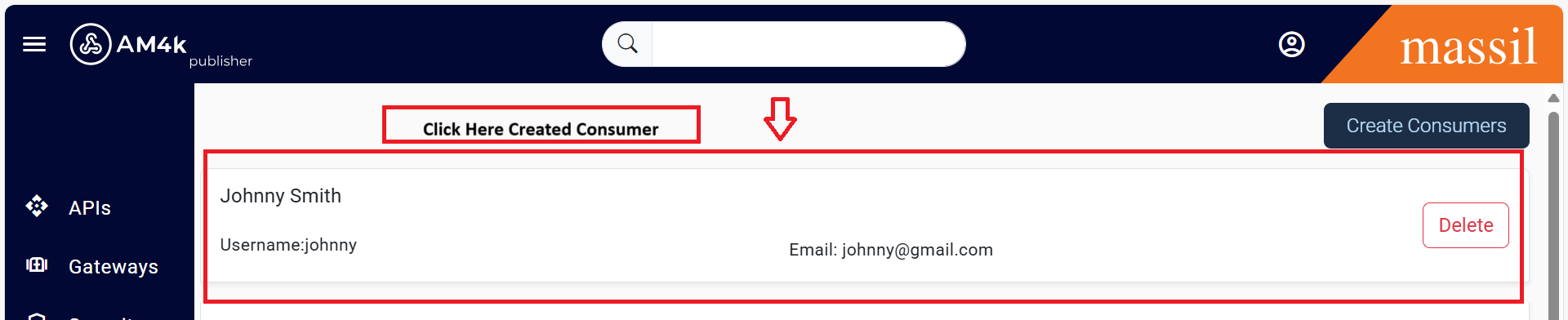
Step 2: Once consumer is created click on created consumer then you can see Create Api product on right side click on it.

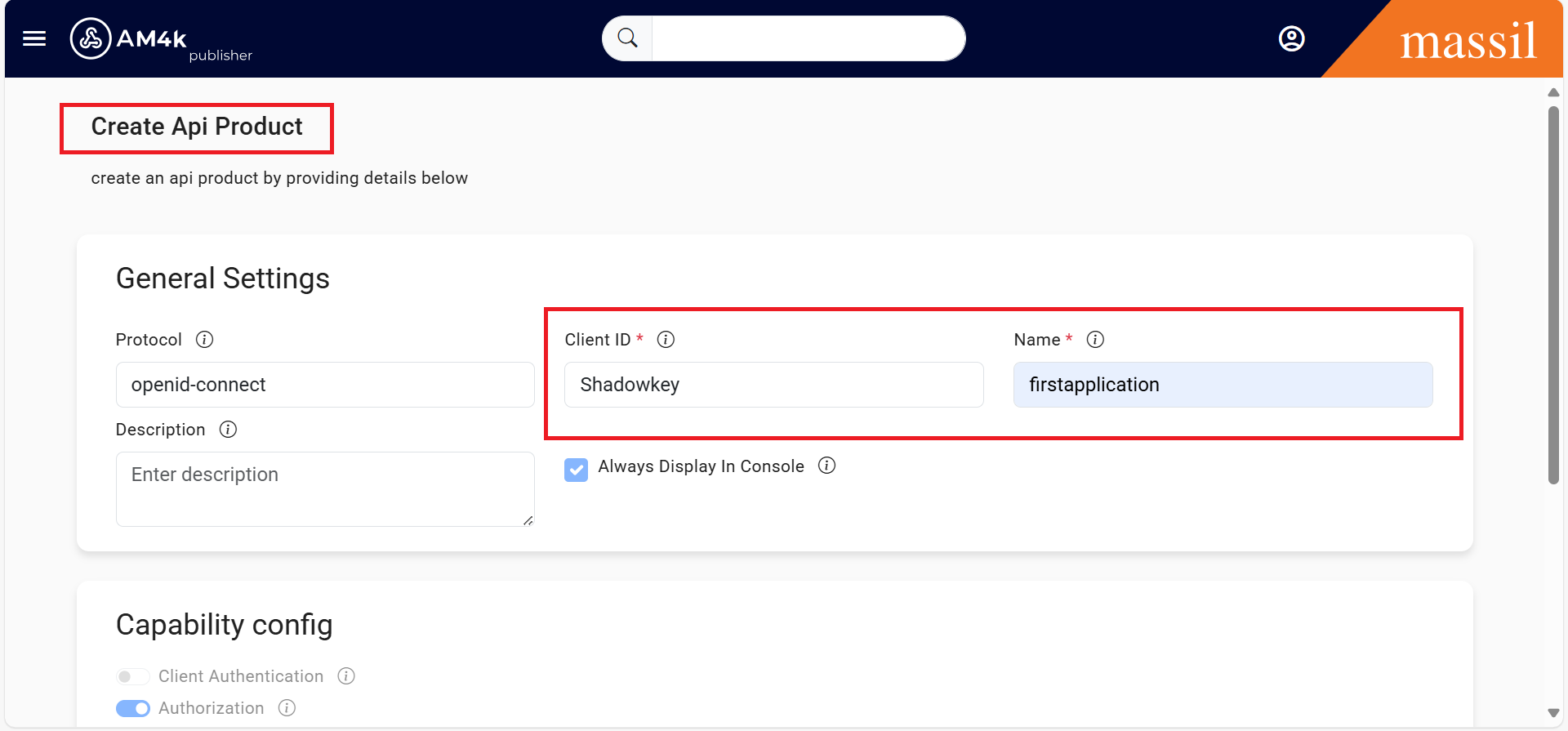
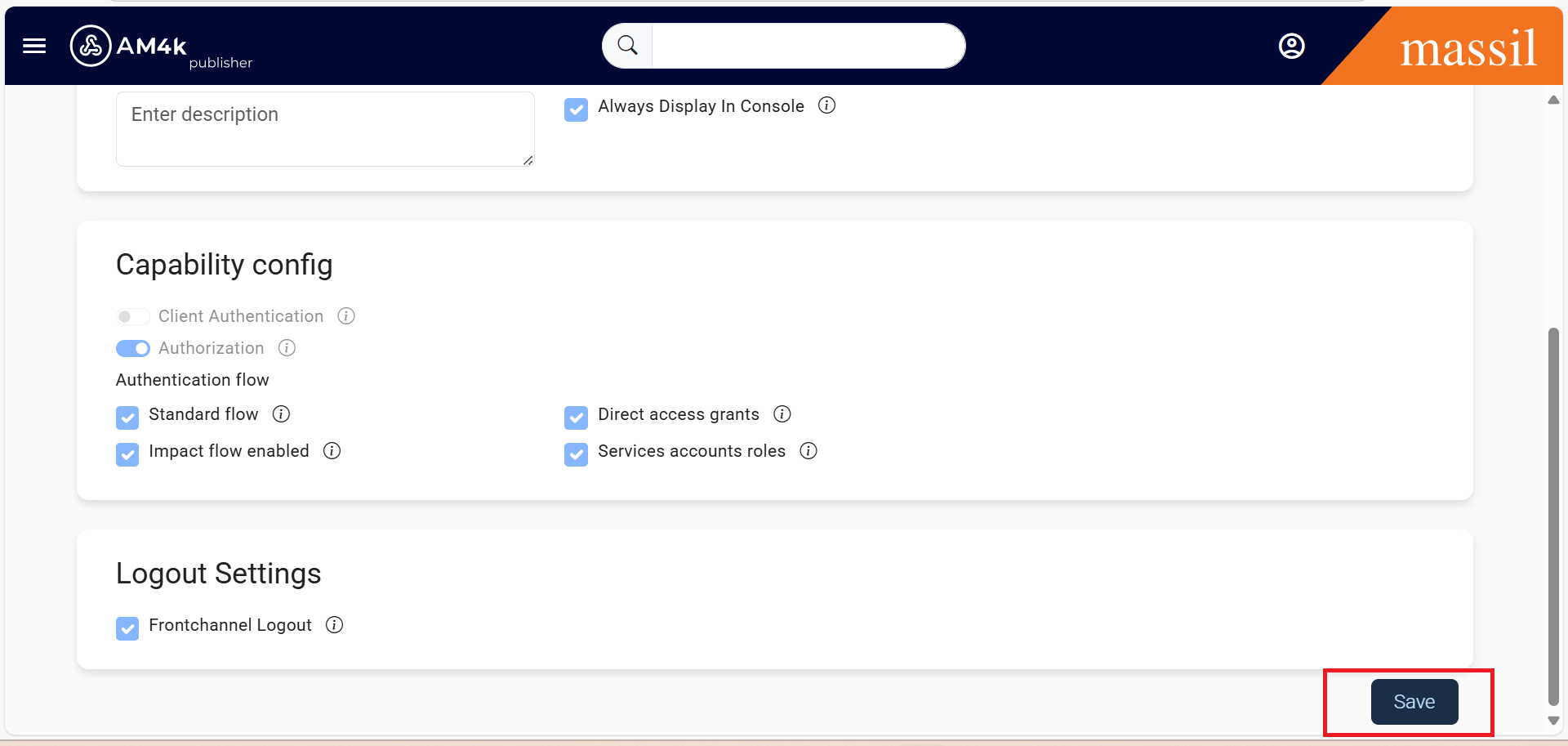
Step 3: Create Api product as shown below pass the client ID and name click on save
Step 4: Once you saved we can able to see cliend ID click on ID.

Step 5: Once you click on ID we will get Consumer key and Consumer Secret.
Step 6: With the token generated by Keycloak, the client passes it to KrakenD in each request
