Open Telemetry By Endpoint
Backend Override of metrics and traces
Step 1 : Click on Endpoint go to backends in backends go to throttling then enable OpenTelemetry Backend Override then you can see
1.Telmetry-Metrics 2.Telemetry-Traces
Step 2: When you see Telemetry Metrcis you will find these all below shown fields
Step 3: When you click on Add Metric Attribute you will see key and value.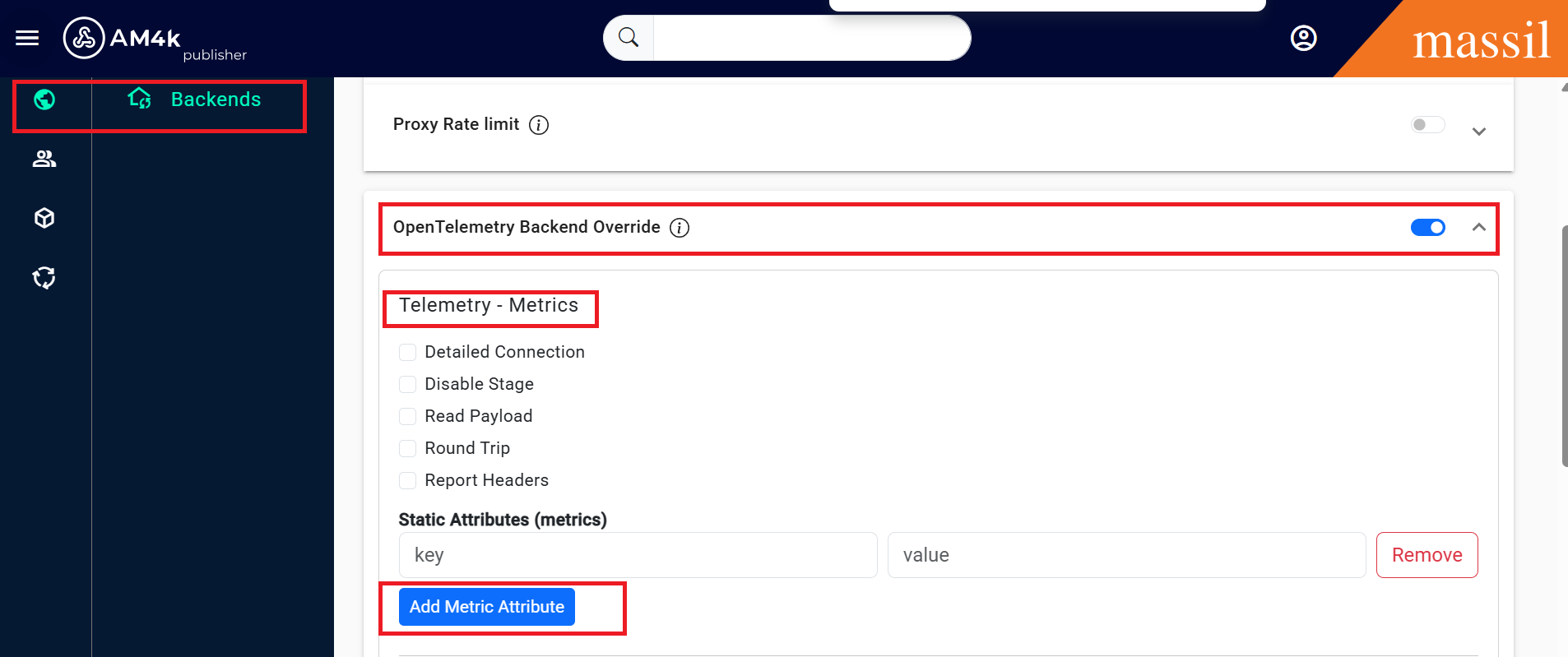
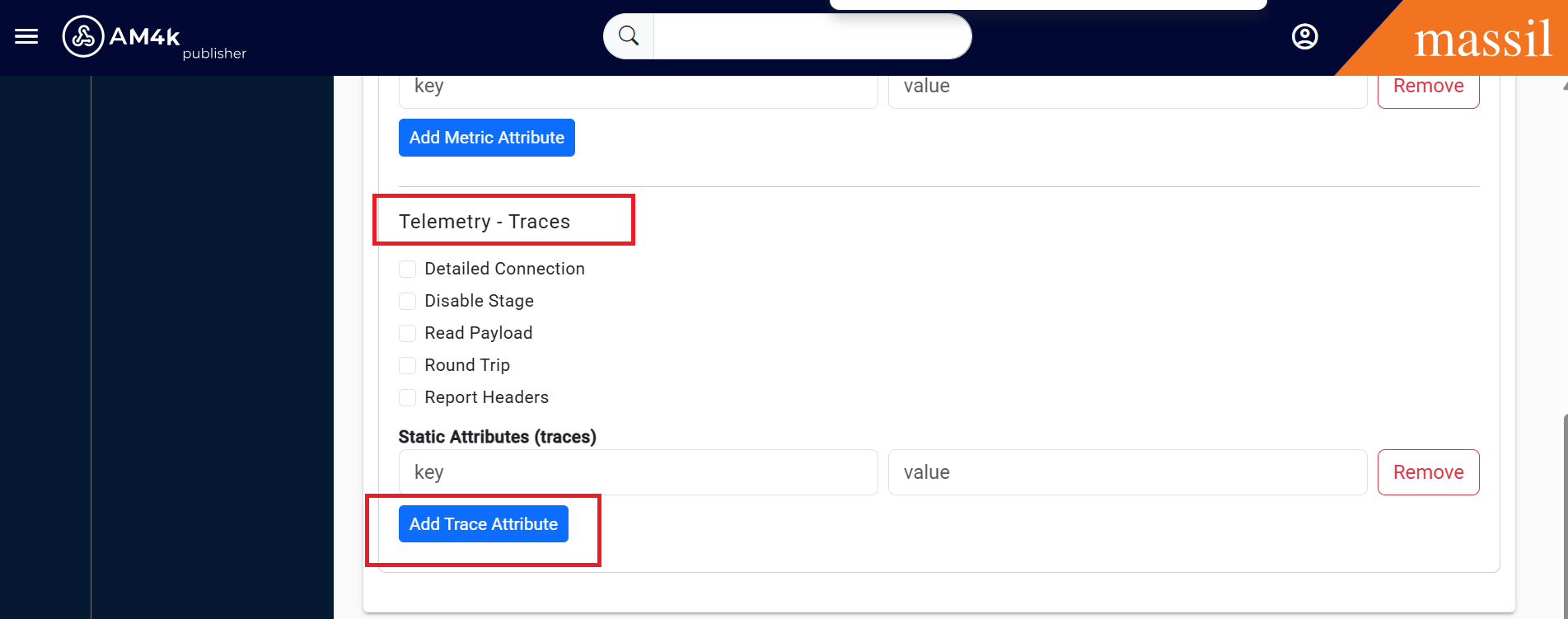
Step: When you see Telemetry-Traces you will find below fields as shown below
traces
detailed_connection
disable_stage
read_payload
report_headers boolean
round_trip
static_attributes