Redis Connection Pool
Redis connection pools for stateful functionality
Configuration of Redis connection pools
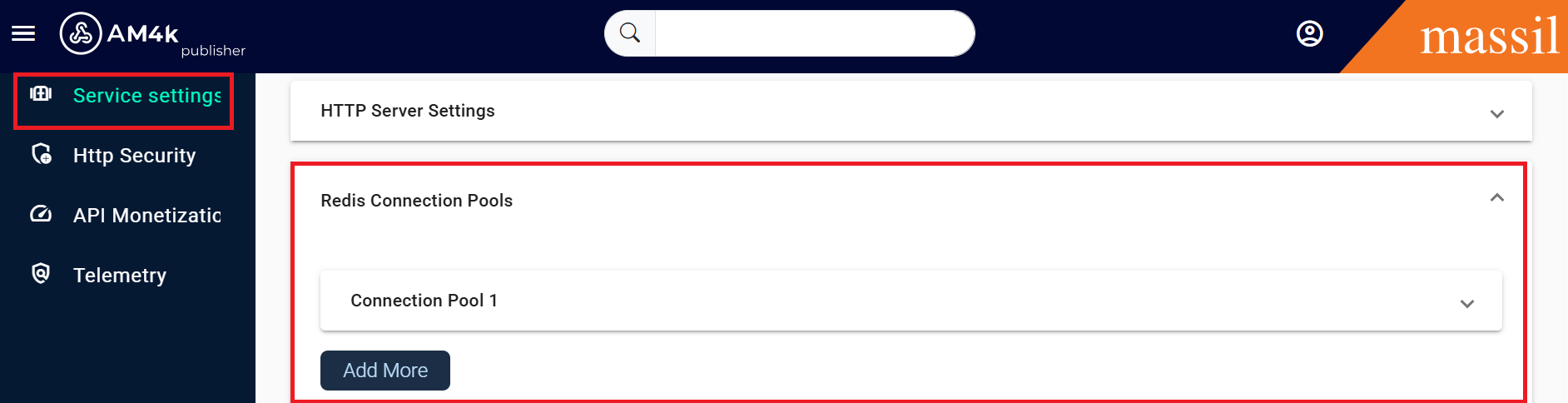
Step 1: Click on service settings then open the Redis Connection Pools you can see the as shown below images

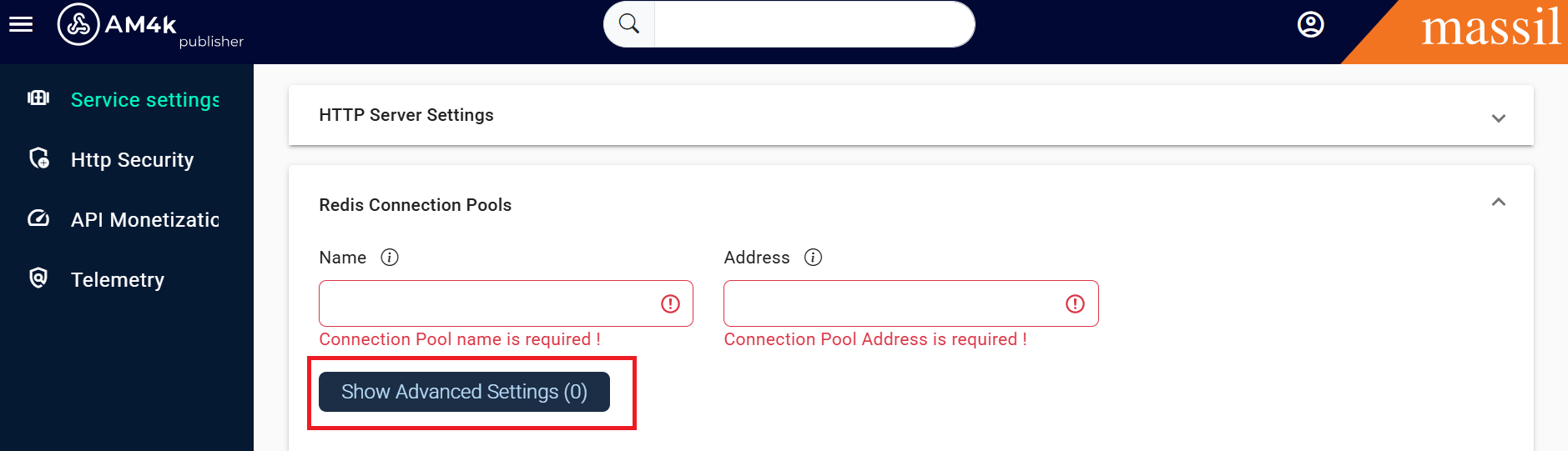
Step 2: Click on Show Advanced Settings you can visible all the shown fields
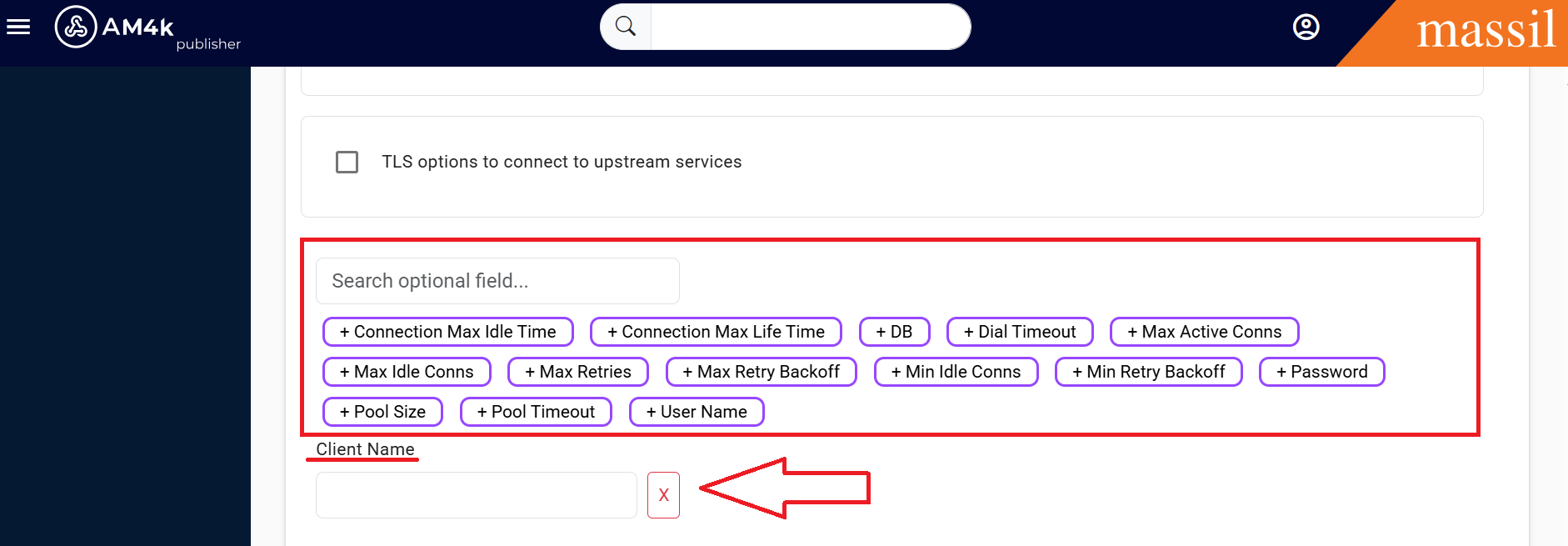
Step 3. You can pass the values as shown in images click on required fied.
connection_pools
Defines all the connetion pools available to Redis functionality.
Each item of connection_pools accepts the following properties:
address
client_name
conn_max_idle_time
conn_max_life_time
db
dial_timeout
max_active_conns
max_idle_conns
max_retries
max_retry_backoff
min_idle_conns
min_retry_backoff
max_retry_backoff
name
password
pool_size
pool_timeout
tls
user_name
Step 4: When you click on advanced settings below you can see the two check boxes one with open telemnetry other one is TLS options
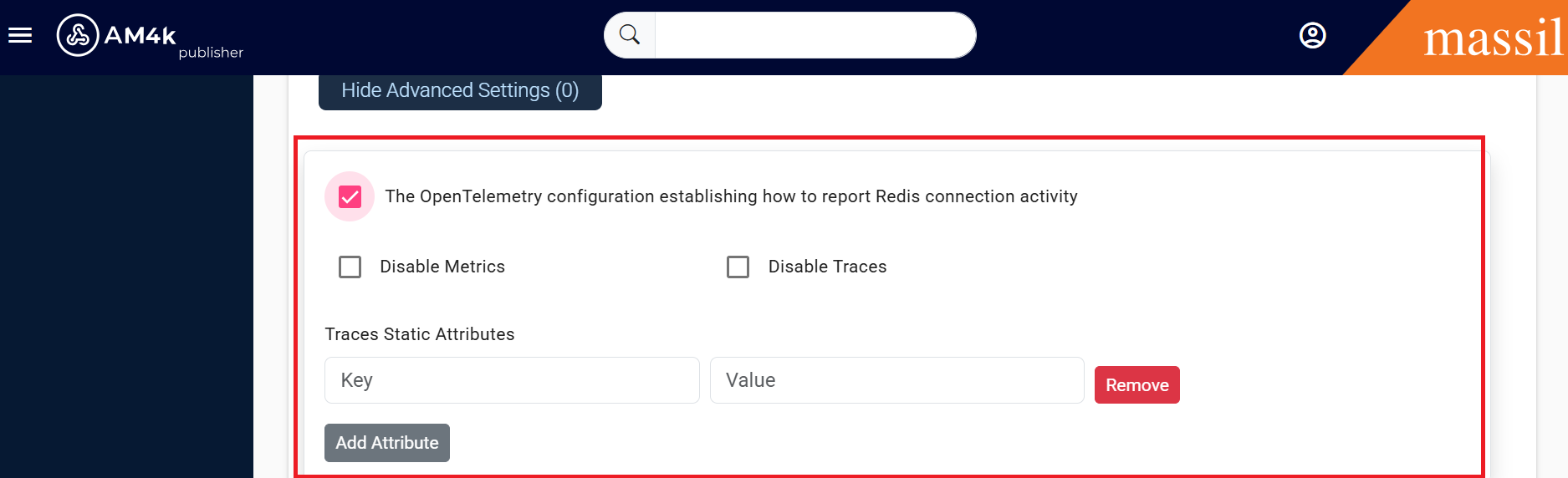
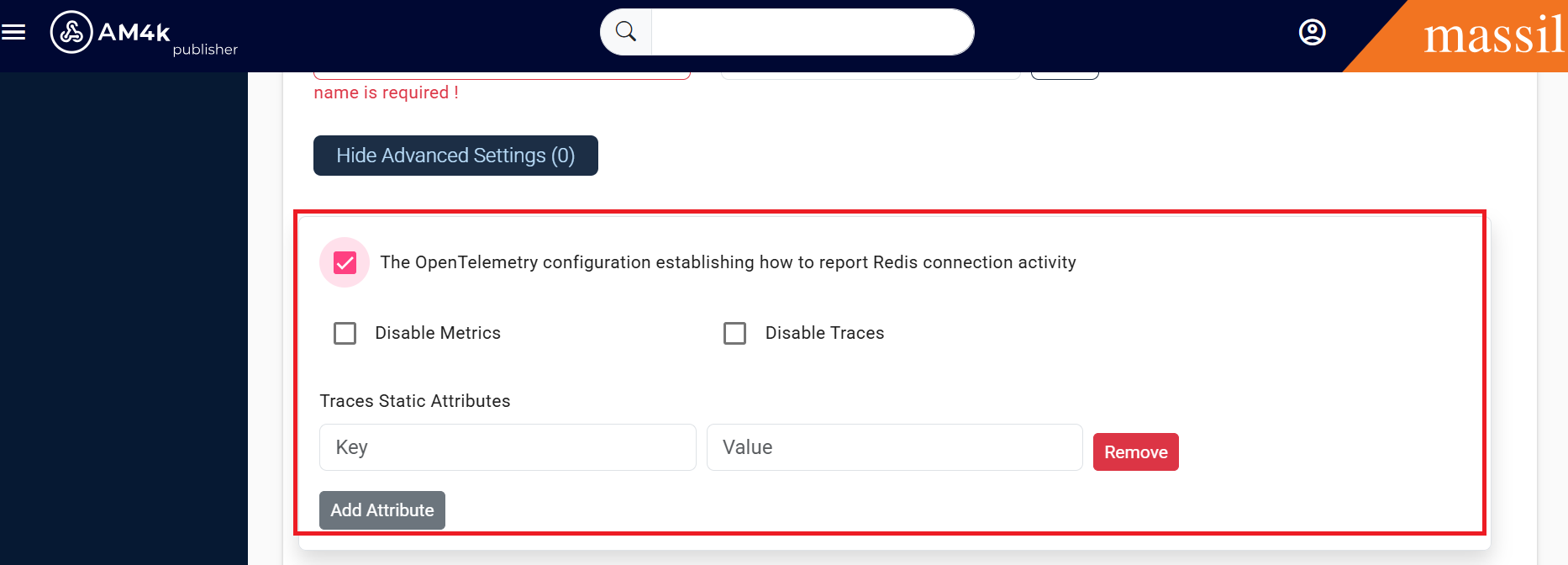
Step 5. When you click on open telementry check box you will be able to see below fields you can observe clearly in below images

opentelemetry
The OpenTelemetry configuration establishing how to report Redis connection activity
Configuration of Redis clusters
The configuration of Redis cluster is identical to connection pools, except that the addresses field is an array, that the db is not available, and a new field max_redirects is added.
clusters
Defines all the clusters available to Redis functionality. The different components requiring Redis will access the pool based on its name
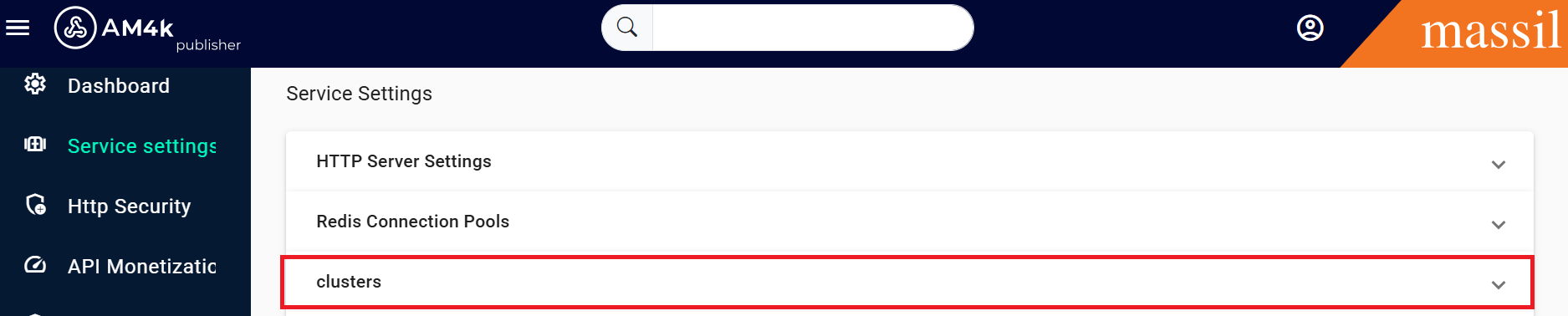
Step 6: Click on service settings then open the clusters you can see the as shown below images
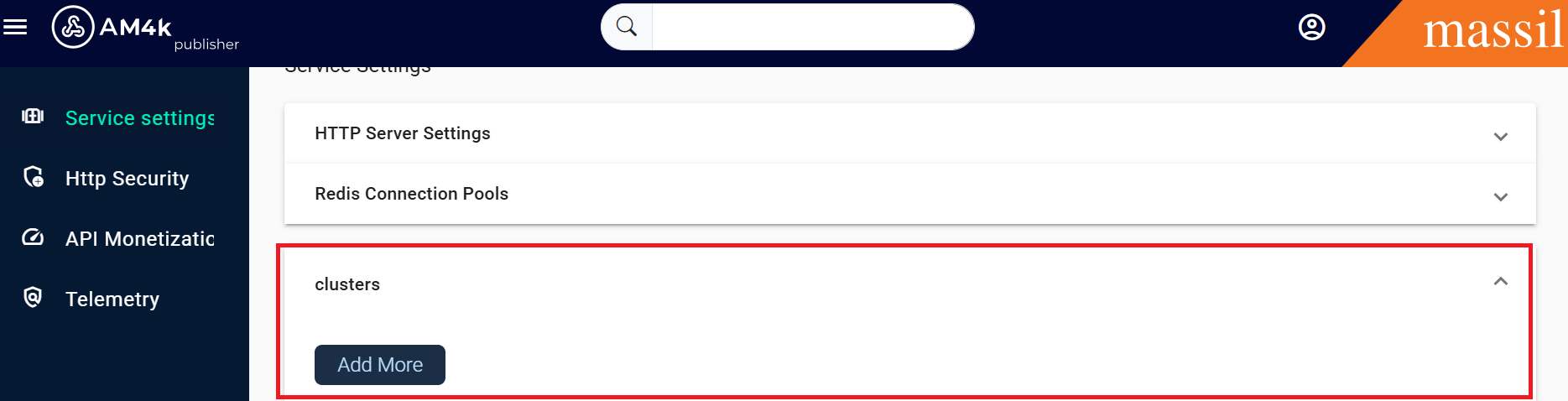
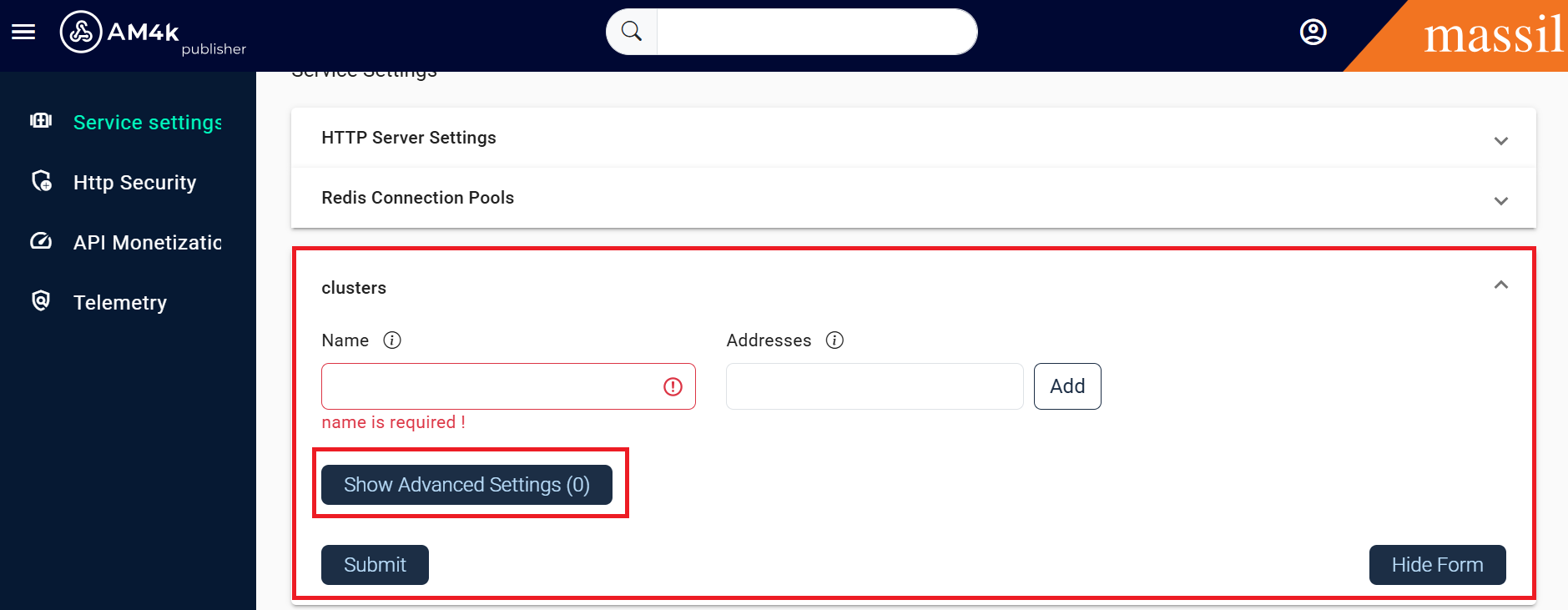
Step 7: Click on Show Advanced Settings you can visible all the shown fields
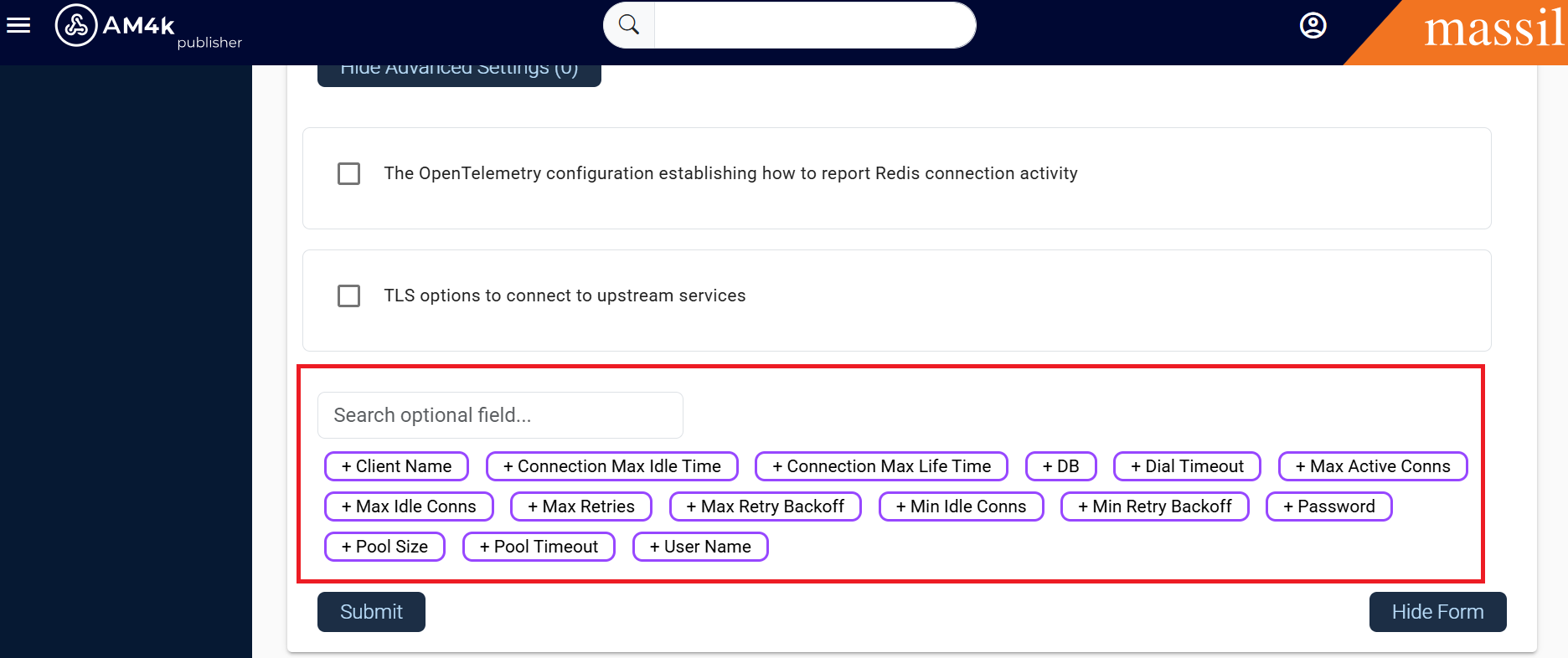
opentelemetry
Step 8. You can pass the values as shown in images click on required fied.
addresses
client_name
conn_list
conn_max_idle_time
conn_max_life_time
dial_timeout
max_active_conns
max_idle_conns
max_redirects
max_retries
max_retry_backoff
min_idle_conns
min_retry_backoff
name
password
pool_size
pool_timeout
tls
user_name
Step 9: When you click on advanced settings below you can see the two check boxes one with open telemnetry other one is TLS options
Step 10. When you click on open telemetry check box you will be able to see below fields you can observe clearly in below images