Creating Rest API
Create Rest API
API creation is the process of linking an existing backend API implementation to the API Publisher so that you can manage and monitor the API's lifecycle.
Follow the instructions below to create a REST API:
Step 1.Log in to the publisher portal using the following credentials (Massiltech/Massil) at the URL:
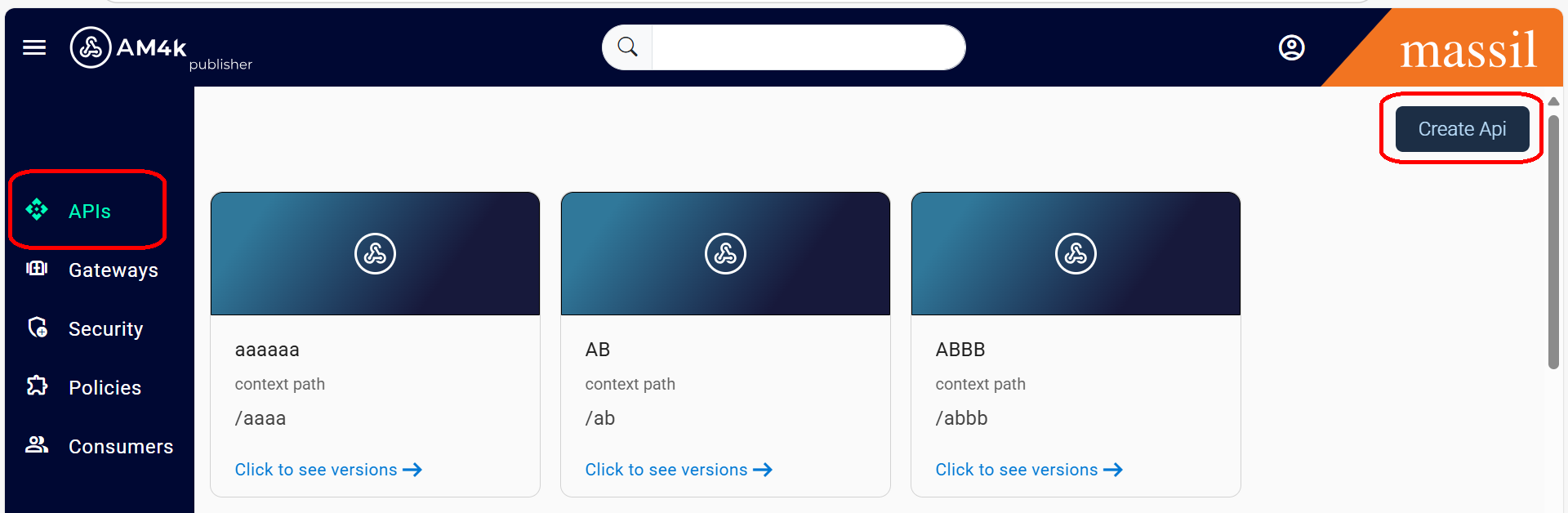
Step 2.Click on APIs on the home page → Click Create API.
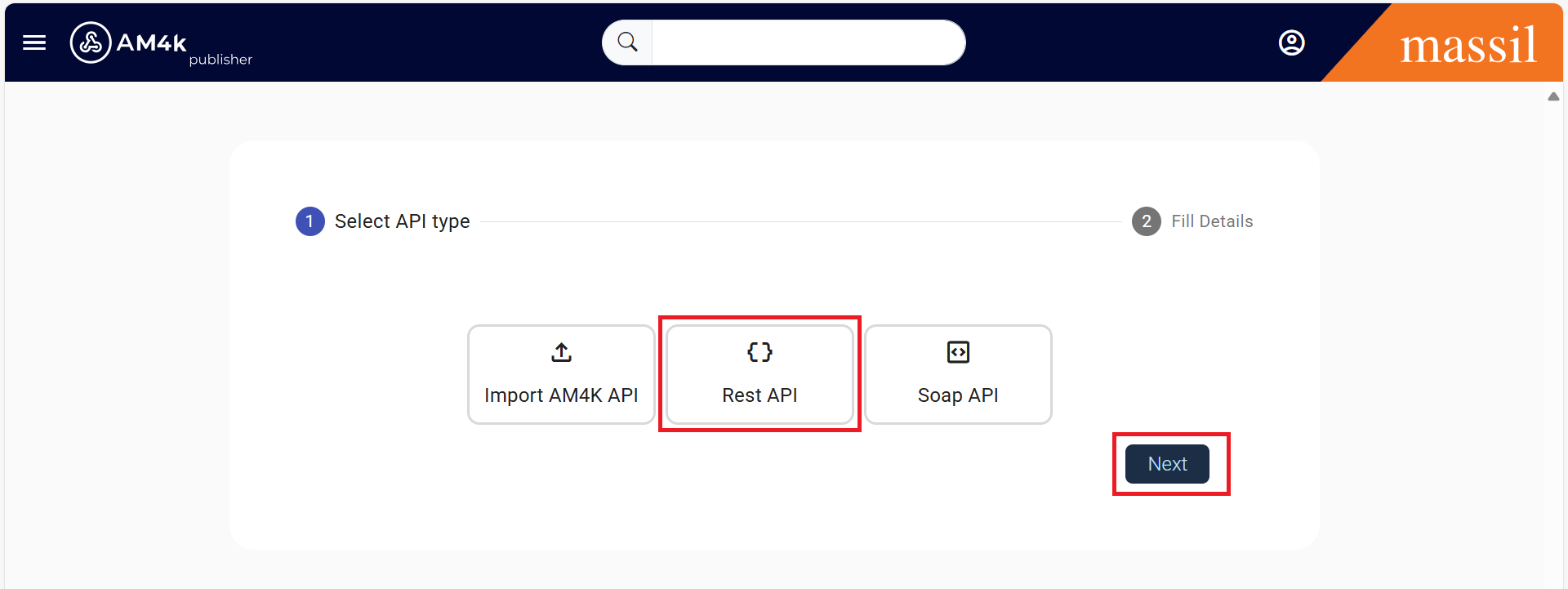
Step 3.Select the Type of API, whether REST API or SOAP API, Click on Next.
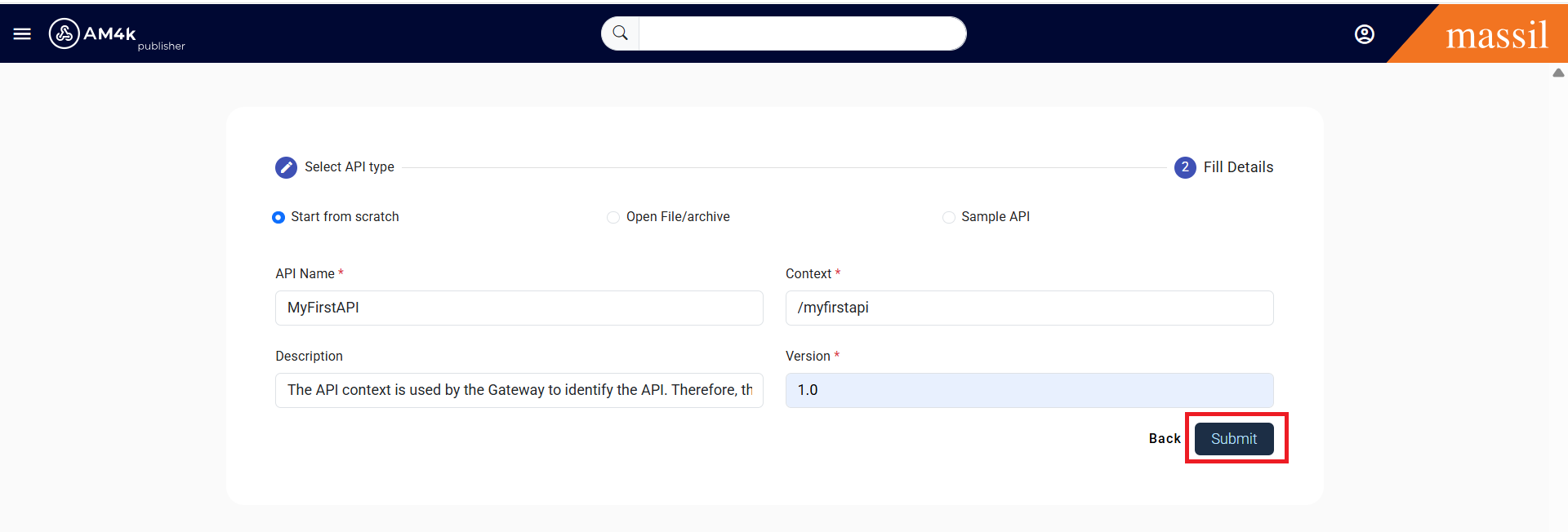
Step 4.Once the Type of API is selected, fill in the following fields as shown below.
Enter API details.
Step 5.Create an API—let’s call it API Name (MyFirstAPI)—and fill in the required fields such as Context, Description, and Version, then click Submit.
Step 6.Click Submit to complete the API creation process.
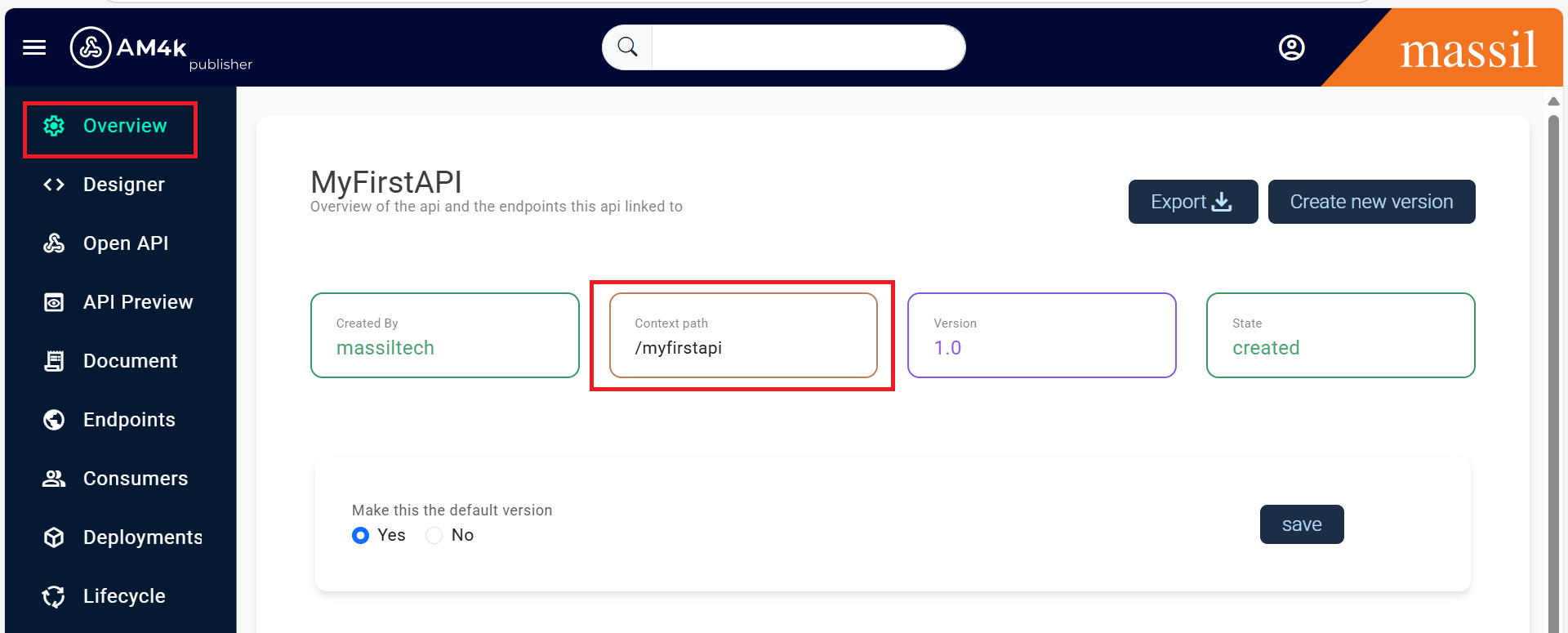
Step 7.Once you click Submit, the newly created API will be displayed.
Creating API
| Field | Sample Value |
|---|---|
| API Name | MyFirstAPI |
| Version | 1.0.0 |
| Context | /myfirstapi |
| Description | The API context is used by the Gateway to identify the API. Therefore, the API context must be unique. |
Step 8.Once you click Submit, the newly created API will be displayed as shown below.
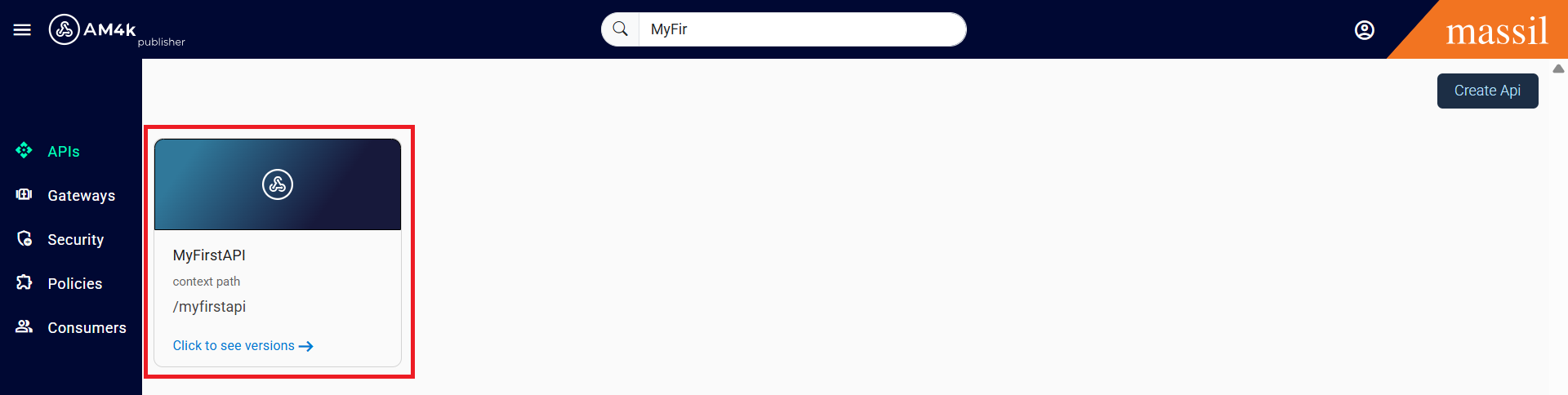
Step 9.Once you are created api if you want to see the overview go to the search bar and search what you have created API then their you can see the API which you are created once you are clicked on versions you can see image as shown below
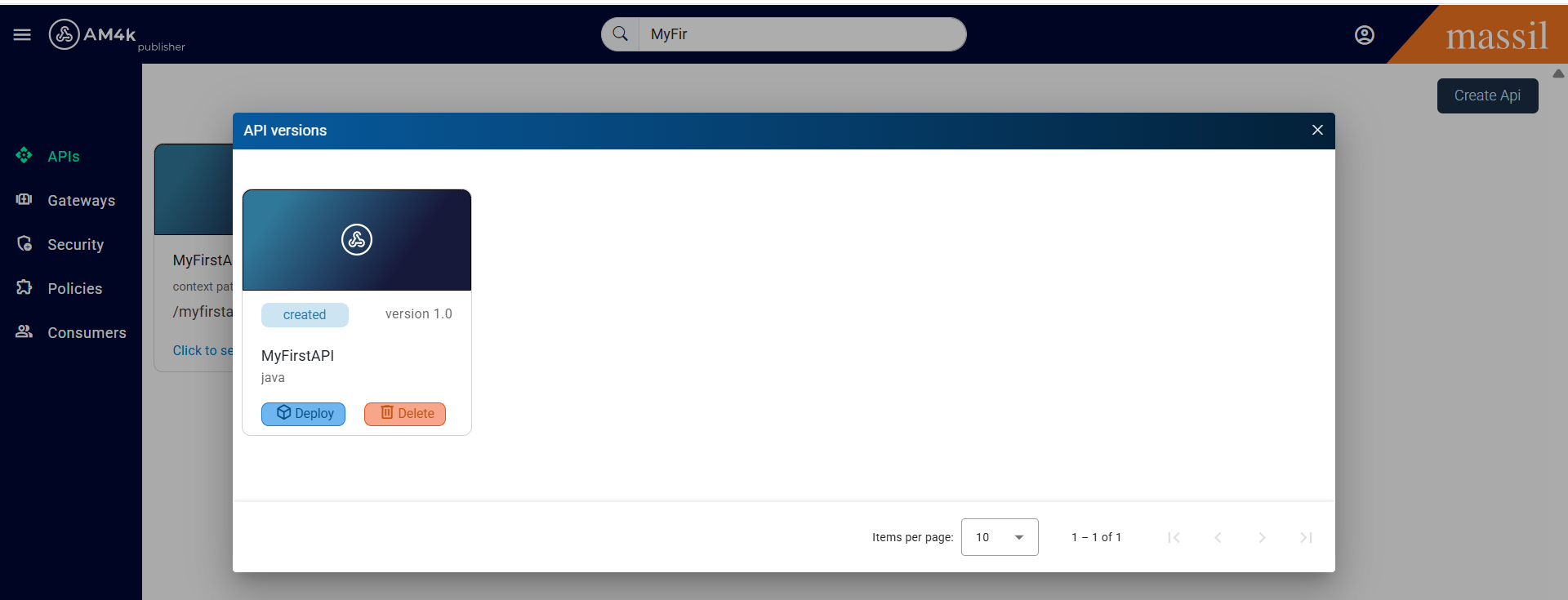
Step 10.After you can see the like created api click on it will appear like as shown below Image
Step 11.In the Overview tab, you can view all the details related to the API, such as Created By, API Context Path, Version, and the State of the API (Created, Published, Blocked, Deprecated, or Retired).